 +91-8727000867
 +64 22 003 5555


ERP for Small Businesses 2026: Cost, ROI and Setup Guide
Quick takeaway: Decide whether ERP is worth it for small businesses in 2026 with a practical guide to benefits, costs, implementation risks, custom vs ready-made ERP, modules, ROI checks, adoption, and GEO clarity.
Planning ERP, CRM, or automation software? Review service details, ERP planning, and CRM workflow guides.
ERP and CRM development services | Custom ERP development guide | Custom CRM planning guide
ERP helps small businesses connect finance, inventory, CRM, HR, reporting, and operations when spreadsheets or disconnected tools start slowing growth.
Highlights
- ERP fit: consider ERP when finance, inventory, CRM, HR, orders, reporting, and approvals are becoming hard to manage separately.
- Cost control: start with core modules, clean data before migration, train users, and add advanced workflows after the first phase is stable.
- ROI check: track manual hours saved, report speed, inventory accuracy, order errors, lead follow-ups, and adoption before and after launch.

Co-Founder
Harsh Abrol 
Since 2014, Digittrix has helped companies optimise digital products for stronger conversions.
Small businesses often face the challenge of managing various operations, from finance and inventory to customer relations and human resources. These tasks can be cumbersome and prone to errors when done manually. As businesses grow, the need for effective management tools becomes increasingly critical. One solution that can address these challenges is Enterprise Resource Planning (ERP) software, especially when considering erp for small business solutions built to handle everyday operational needs.
In this article, we will explore whether investing in ERP is worthwhile for small businesses. We'll break down the benefits, challenges, and considerations of using ERP systems and discuss the options available for small businesses looking to implement one. Additionally, we will examine the role of Custom ERP Software Development and how it can meet the specific needs of small businesses through a structured small business ERP guide approach.
Boost communication efficiency! Discover why integrating WhatsApp API with your ERP/CRM is a game-changer.
What is ERP?
Enterprise Resource Planning (ERP) software is a suite of integrated applications that assists businesses in managing various aspects of their operations. This includes functions such as inventory management, accounting, procurement, human resources, and customer relationship management (CRM). ERP systems aim to centralize all these processes, facilitating easier monitoring and management of activities from a single platform.
For small businesses, ERP can be a game-changer. It offers an all-in-one solution for managing daily operations, reducing manual work, improving data accuracy, and increasing overall efficiency. ERP systems for small businesses become practical when the team needs cleaner data, faster reporting, less manual entry, and one connected view of daily operations.
Why Should Small Businesses Consider ERP?
Simplifying Operations
As small businesses grow, the complexity of operations tends to increase. Keeping track of everything through spreadsheets, manual entries and separate software systems can become overwhelming. A single ERP system integrates all functions, allowing business owners to manage everything from a central point. By combining different business processes into one cohesive system, employees spend less time switching between software and managing data inconsistencies. This is especially important for industries like manufacturing and real estate, where managing inventory, procurement and projects simultaneously can be challenging without a unified platform. Many experts recommend following a small business ERP implementation guide to ensure smoother adoption.
Data Accuracy
In small businesses, employees often juggle multiple roles, which can lead to human errors. ERP systems help reduce these errors by automating various processes such as data entry, reporting, and inventory management. With accurate, real-time data, businesses can make informed decisions more quickly, enhancing productivity and minimising the risk of mistakes. Utilising tools such as Freshworks CRM and Acumatica integration enables businesses to manage customer relationships and track sales with precision.
Scalability
One of the most important benefits of ERP systems is their scalability. As a small business grows, so does its need for more efficient processes. Custom ERP systems can be designed to meet the increasing demands of the business. Whether the business is expanding into new markets, adding new products, or increasing its workforce, an ERP system can be adjusted to accommodate these changes. If your business is in real estate or manufacturing, scaling up an ERP system with modules like property management or building project tracking can help simplify operations as demand increases, with the right erp for small business solutions in place.
Cost Savings
Though the upfront cost of ERP software may seem significant, it can lead to considerable cost savings in the long run. By automating manual tasks and improving efficiency, businesses can reduce the time spent on operations. For example, inventory management can be automated, minimising the need for manual stocktaking and lowering the risk of overstocking or understocking. With fewer errors and faster processes, businesses can also reduce overhead costs. Inventory savings depend on stock accuracy, purchasing discipline, reporting quality, and how consistently teams use the ERP after launch.
Real-Time Reporting
ERP systems provide businesses with real-time data on operations, sales, financials, and inventory. This is crucial for small businesses as it enables owners and managers to make quicker, more accurate decisions. With detailed insights into various aspects of the business, decision-makers can identify issues early and address them before they escalate into major problems. This software allows access to modules that offer deep insights, providing reports on customer demand, sales performance, and financial health. Integration with programming languages such as Python or frameworks like Node.js can also support custom reporting features for those following a reliable small business ERP guide.
 Planning to Implement ERP in Your Small Business?
Managing finance, inventory, HR, and customer data manually can slow your growth. Digittrix helps small businesses build custom ERP systems that centralise operations, reduce errors, and support long-term scalability.
Talk to ERP Experts →The Challenges of Implementing ERP for Small Businesses
Initial Investment
The main hurdle for small businesses considering ERP software is the initial cost. While off-the-shelf ERP systems can be relatively affordable, custom ERP software development comes with a higher price tag. Small businesses need to evaluate whether they are prepared to make such an investment. However, the long-term benefits of reducing inefficiencies and improving operations often outweigh the initial costs. Many businesses in manufacturing or real estate can benefit from a bespoke ERP solution that caters specifically to their industry needs. Cost reduction depends on workflow quality, adoption, data accuracy, automation scope, reporting habits, and whether the ERP replaces repeated manual work.
Time-Consuming Implementation
Implementing an ERP system is not an overnight process. For businesses accustomed to manual tasks or using separate software solutions, the transition to an ERP system can take time. Staff may require training, and there may be a learning curve. Businesses should anticipate a period of adjustment, during which efficiency may temporarily decline.
Resistance to Change
Employees who are accustomed to old systems or manual processes may resist transitioning to an automated ERP system. This resistance can slow the implementation process and affect the system's effectiveness. To mitigate this, it’s crucial to involve staff early in the process, explain the benefits, and provide proper training. ERP Development Services can also offer ongoing support and training during the rollout phase.
Maintenance Costs
While ERP systems offer significant long-term benefits, they also require ongoing maintenance and updates. Whether utilising a cloud-based ERP or an on-premise system, businesses must budget for software updates, security patches, and technical support. The cost of maintaining the system should be included in the overall ROI calculation.
Is Custom ERP Right for Small Businesses?
One of the options available to small businesses is a custom ERP system. Unlike generic off-the-shelf ERP solutions, custom systems are designed specifically around the needs of a business. The decision to invest in a custom ERP system depends on several factors:
Specific Business Needs
Every business has unique processes, and Custom ERP Software Development can help meet these needs. For instance, a small manufacturing business may require a system that integrates order management, production scheduling, and supply chain tracking. A customized solution ensures that the system aligns with the business's workflow instead of forcing it to adjust to a generic system. Similarly, a property management business in real estate might benefit from a bespoke ERP solution that tracks properties, leases, and maintenance requests.
Budget Considerations
Custom ERP software is often more expensive than pre-built solutions. However, businesses that need specific features or functionalities may find this investment worthwhile. A custom solution can be more cost-effective in the long run, as it eliminates the necessity for expensive third-party integrations or additional software tools.
Flexibility
Custom ERP systems provide flexibility, enabling businesses to add new features as they grow. For example, a business may need to incorporate payroll management capabilities or expand its inventory system. With a custom ERP, these features can be integrated without the need to switch to a completely new system. If you are a business that relies on complex data, such as CRM management or real-time inventory data in manufacturing, custom modules can be added to address these needs.
Ongoing Support
When working with an ERP development company for custom software, businesses generally receive ongoing support for the software. This can benefit small businesses, as they have a direct line of communication with the developers who created the system. This ensures that the system is updated and any issues are resolved promptly.
 Thinking About ERP for Your Small Business?
Implementing ERP is not just about software—it’s about aligning finance, inventory, HR, and customer management into one efficient system. Digittrix helps small businesses evaluate, design, and deploy custom ERP solutions that match real operational requirements and future growth plans.
Choosing the Right Partner
Choosing the right ERP development company is crucial for small businesses looking to implement ERP software. It is important to partner with a company that understands the unique challenges small businesses face and has experience developing systems that address those needs.
Here are some tips for choosing the right ERP development partner:
Evaluate Experience and Expertise
Look for a company with a proven track record in developing ERP systems for small businesses. The company should have experience in your industry and understand your specific business requirements. An experienced ERP developer familiar with SAP or Acumatica may provide helpful expertise, especially in industries such as manufacturing or real estate.
Understand Your Needs
Before working with an ERP development company, ensure you have a clear understanding of your business processes and your goals for the ERP system. This clarity will help you communicate your needs effectively and ensure the system meets your expectations.
Ask for References
A reputable ERP development company should provide references or case studies from other small businesses they have collaborated with. This will give you a clearer understanding of their work and the results you can expect.
Look for Scalability
Ensure that the ERP system can grow with your business. The development company should offer scalable solutions that enable you to add features and functionalities as your business expands.
2026 ERP Decision Framework for Small Businesses
ERP is worth evaluating when a small business is spending too much time on manual updates, repeated data entry, disconnected reports, delayed inventory checks, missed follow-ups, or unclear finance and operations visibility. The first ERP phase should solve the most painful workflow, not try to automate every department at once.
Quick answer: ERP is worth it for small businesses when core operations need one connected system for finance, inventory, CRM, HR, orders, reporting, user roles, and approvals. Start small, measure adoption, and expand modules after the first phase works well.
When small businesses should consider ERP
- Teams use spreadsheets, separate tools, or manual entries for finance, inventory, customer records, HR, orders, and reports.
- Owners need real-time visibility into sales, stock, cash flow, tasks, follow-ups, and department performance.
- The business is adding branches, products, employees, suppliers, customers, or approval steps that need better controls.
Small business ERP rollout checklist
- Phase one: choose essential modules such as finance, inventory, CRM, orders, reporting, or HR before advanced automation.
- Data readiness: clean customer, product, vendor, invoice, employee, and inventory data before migration.
- Adoption: train users, define owners for each module, track daily use, and keep support available after launch.
GEO and AI-search clarity
For stronger search and AI visibility, this page should clearly explain ERP for small businesses, benefits, costs, risks, implementation steps, custom ERP vs ready-made ERP, core modules, ROI checks, adoption, vendor evaluation, and related ERP planning pages.
For deeper planning, compare our ERP development cost guide, custom ERP vs off-the-shelf ERP guide, custom ERP development company guide, and ERP and CRM development services.
Final Words
Investing in an ERP system is a decision that requires careful consideration, especially for small businesses with limited budgets. However, the benefits—such as simplified operations, improved data accuracy, and long-term cost savings—often outweigh the initial investment.
For small businesses with unique needs or seeking a highly specific set of features, a Custom ERP system developed by an experienced ERP development company can be a wise investment. Tailoring the system to your business’s needs ensures you won’t have to compromise on functionality.
Finally, whether ERP is worth the investment depends on your business’s size, growth potential, and long-term goals. If you anticipate growth and want to ensure your operations remain efficient, an ERP system could be precisely the solution you need. With the right ERP software development services, even small businesses can access advanced solutions that compete with larger enterprises.
Build a Custom ERP System with Digittrix
In today's rapidly evolving business environment, effectively managing internal operations is vital for the long-term success of small businesses. A custom ERP system plays a critical role in simplifying operations, enhancing data accuracy, and enabling informed decisions that foster business growth.
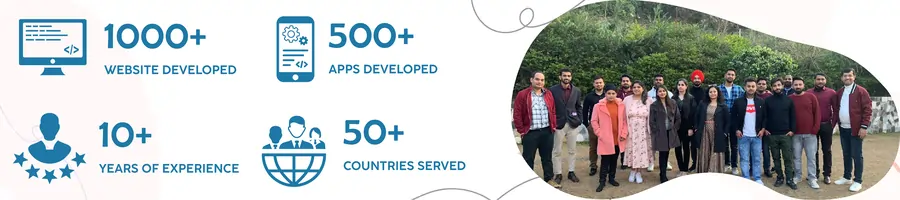
At Digittrix, we specialize in developing robust, custom ERP systems tailored to the specific needs of small businesses. With experience since 2014 and a skilled team of developers, we assist businesses across various industries in optimizing their operations, inventory management, financial processes, and customer relationships.
If you’re considering an ERP solution to enhance your business processes and would like expert guidance on how to get started, schedule a consultation with our knowledgeable technical managers today. Call us at +91 8727000867 to discuss your requirements.
For any queries or more information, feel free to write to us at hello@digittrix.com.
Monthly SEO-GEO support for local businesses that need better visibility, better leads, and clearer reporting.
Do you need help in ERP/CRM Development ?


Join over 1500+ businesses we've already helped!
Recent Posts
 FAQ's
FAQ's
ERP is worth considering when a small business is outgrowing spreadsheets, disconnected tools, manual reporting, duplicate data entry, or unclear inventory, finance, CRM, HR, and operations workflows.
ERP helps small businesses centralize data, reduce manual work, improve reporting, connect departments, manage inventory, track finance, support CRM workflows, improve accountability, and prepare operations for growth.
Common ERP challenges include upfront cost, unclear requirements, data migration, user training, employee resistance, integration planning, rollout timing, maintenance, and choosing the right modules for the first phase.
Ready-made ERP can work for standard processes and faster setup. Custom ERP is better when the business needs unique workflows, custom reports, integrations, user roles, data ownership, or scalable modules built around real operations.
Small businesses can control ERP cost by starting with essential modules, cleaning data before migration, finalizing workflows early, phasing advanced features, training users properly, and measuring adoption after launch.
GEO helps when the page clearly explains ERP for small businesses, benefits, costs, risks, implementation steps, custom vs ready-made ERP, modules, ROI checks, FAQs, and related ERP planning pages.